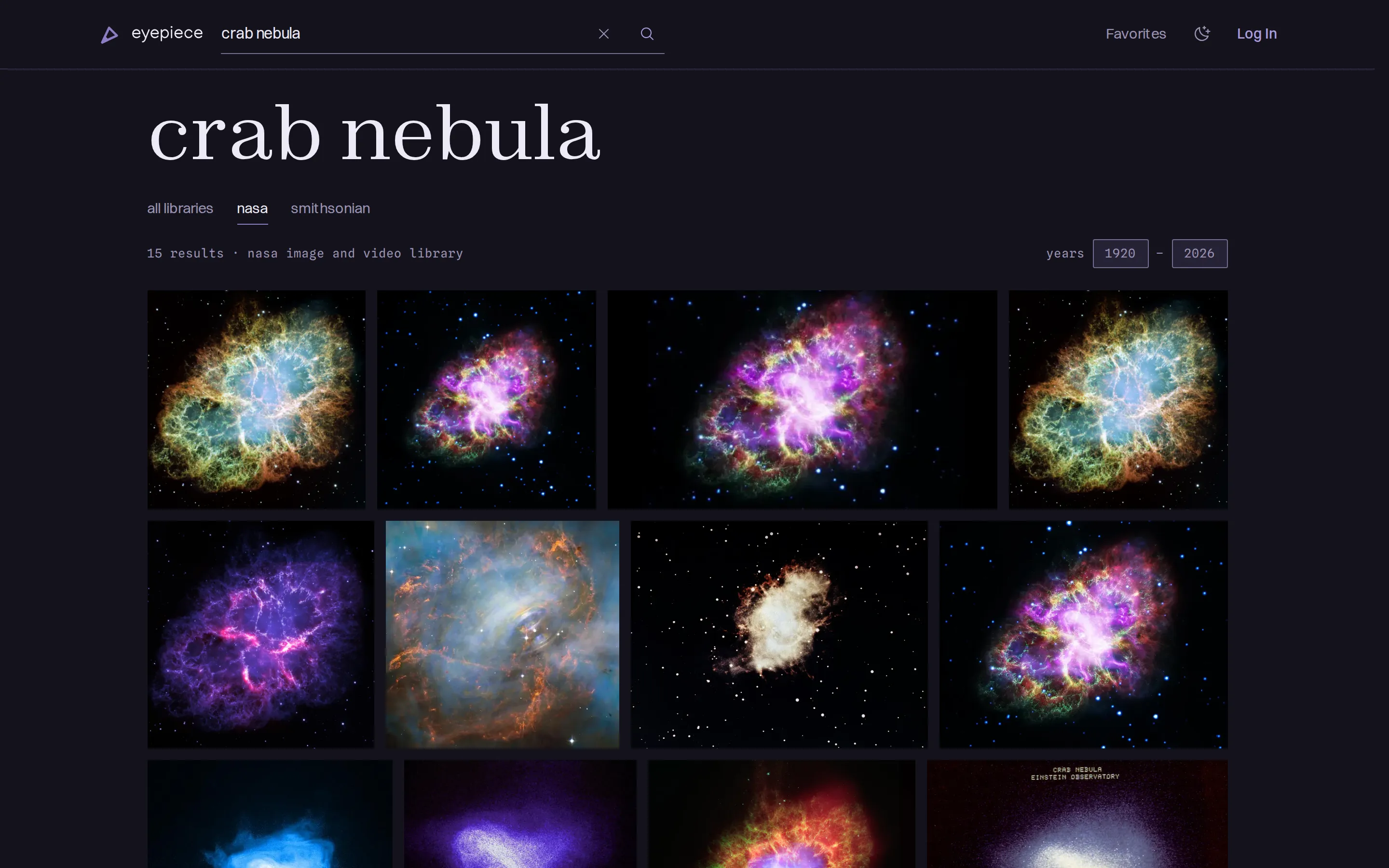
Eyepiece is an astronomy image search and collections website built around the NASA Image and Video Library and the Smithsonian’s National Air and Space Museum collection. Users can search and browse across both providers in one accessible interface, with filters and metadata tailored to each archive.
Opening a result shows its details over the existing search while the browser navigates to the asset’s own URL. Signing in adds favorites and private or public collections. Public asset and collection pages stay shareable and cacheable, while personal controls and account data remain specific to the signed-in visitor.
Searching and browsing
See asset details without losing your place
Every image tile is a normal link to a standalone asset page. After the site hydrates, selecting one from a grid opens the detail in a dismissible sheet and keeps the results mounted underneath. TanStack Router route masking changes the URL, document title, and browser history to the asset. Reloading that URL or opening it in a new tab renders the same route as a full page.
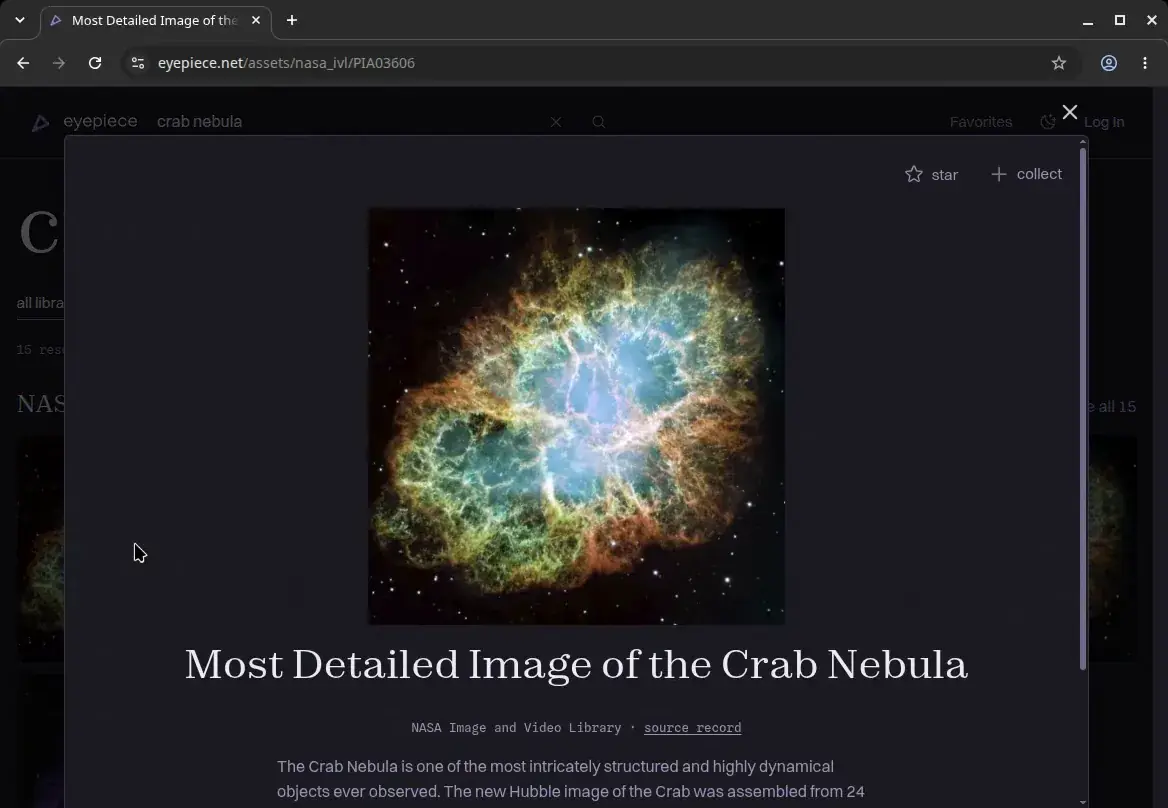
Closing the sheet with Escape, the browser’s Back action, or its backdrop returns to the list. Focus also returns to the tile that opened it. This keeps in-context browsing quick without giving up standard links, addressable detail pages, or browser navigation.
Search independent archives together
All libraries search gives NASA and Smithsonian their own labeled sections, preserving the ranking returned by each archive instead of implying a shared one. Both requests begin together, and each section streams as it settles. Separate error boundaries keep a slow or unavailable provider from holding up the other.
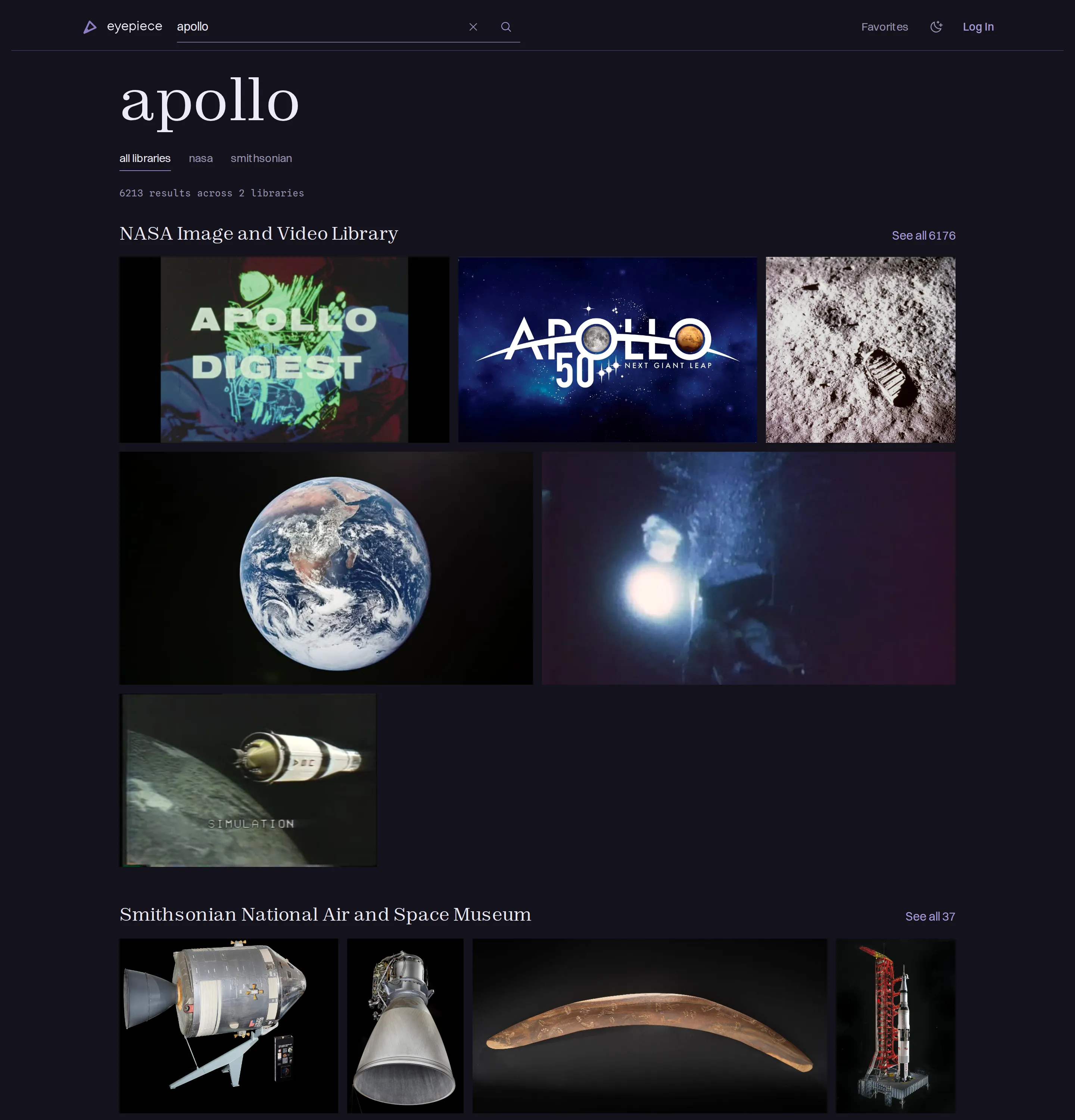
Each section links to a provider-specific view that reuses query data already in the browser cache. Scope controls remain ordinary links. Search terms and provider filters live in the URL. The search boundary accepts partial or hand-edited state and then normalizes it, so equivalent searches settle on one address and one CDN cache key.
The provider contract also makes source-only capabilities explicit. NASA supports year-range filters, albums, and extended metadata, while unsupported Smithsonian operations remain absent rather than being represented by empty results.
Browse varied images with keyboard or pointer
The source images arrive in a wide range of aspect ratios. Justified rows preserve those shapes while using the available width instead of cropping every record into the same thumbnail. The interface loads large result sets incrementally as the user scrolls. After two automatic loads, every third waits for the user to select Load more. This keeps progression deliberate and the footer reachable.
The grid uses memoized CSS rows rather than a virtualized window. At the result counts supported by Eyepiece, memoized rows measured faster for appending results and continuous scrolling while retaining ordinary document scrolling.
React Aria supplies grid semantics and roving focus, but its standard keyboard geometry assumes columns align. In justified rows, tile edges shift from one row to the next, so a custom delegate selects vertical neighbors by their horizontal overlap. Arrow keys follow the tiles’ visual positions. Home and End move to the beginning or end, and Page Up and Page Down move roughly one viewport at a time.
On desktop, tile titles and actions appear on hover or keyboard focus. On touch-oriented inputs, those overlays stay out of the way so the image remains visible and the tile provides one large navigation target. Star and collection actions remain available in the detail sheet.
Deliver provider images efficiently
NASA offers only a few fixed rendition widths and sends five-minute image cache headers. Neither provider serves modern image formats. Eyepiece routes supported NASA and Smithsonian image URLs through Netlify’s Image CDN for responsive AVIF or WebP output. Other URLs fall back to the providers’ own renditions.
Transformed NASA images would still inherit the upstream five-minute cache policy. A small edge function serves the source bytes through Eyepiece’s domain with a one-week cache policy and a durable cache that persists across deploys.
Each grid and detail surface declares the widths it can display, so responsive candidates cover standard and high-density screens without upscaling beyond the source. The grid loads the image tiles expected in its first visible rows immediately and defers the rest. Because justified rows contain a variable number of tiles, that cutoff is calculated from their aspect ratios instead of a fixed item count.
Accounts and saved content
Caching and authentication
Public browsing pages can be shared and cached at the CDN. Private account pages depend on a session, while authentication callbacks can contain sensitive tokens. Both use private, no-store responses.
Some public pages still need personal controls. Their server-rendered search or asset data does not include whether the current visitor has saved an item. After hydration, the browser loads the signed-in visitor’s favorite keys and adds star and collection controls. The document and asset data remain shareable and cacheable; only the smaller personal layer varies by account.
The route tree encodes those boundaries, with each root owning its authentication and cache policy. Typed boundary factories, import rules, and a request-level session-read check enforce that separation at different layers. If a boundary is misapplied, the page loses shared caching instead of adding account data to a public response.
Undo without losing context
To preserve context, removing a favorite or collection item leaves its tile in place, dims it, and replaces its controls with Undo. The surrounding rows do not rearrange, and focus moves to that replacement control instead of falling back to the page.
Each item’s remove and restore requests run in order, so a quick Undo cannot race the request before it. If an operation fails, the tile returns to the last state confirmed by the server rather than blindly reversing the latest click.
Saved lists that survive provider failures
NASA and Smithsonian expose individual asset records on demand. If a saved list stored only their identifiers, opening it would require a provider request for every item. Instead, when someone saves an asset, Eyepiece stores a local snapshot of the data needed to render it in favorites and collections.
The snapshot data is refreshed weekly because records in these archives are expected to change infrequently. If a refresh fails or the provider no longer returns a record, Eyepiece keeps the last confirmed metadata. Database constraints prevent snapshots referenced by favorites or collections from being deleted.
Snapshots are the canonical source for saved-list metadata, so lists load from Postgres without refetching every record from its provider. A saved entry can remain referenceable after its source record disappears, though its image still depends on the provider-hosted file remaining available.
Loading the site
Forms work before hydration
Search remains a native GET form before JavaScript attaches. Authentication and profile forms post to dedicated server endpoints during the same period. Hydrated submissions are intercepted separately, with both paths calling the same command layer. Controlled fields seed themselves from the live DOM during hydration, so React does not erase a search term, email address, or password entered while the application was loading.
Serve curated entry pages as static files
The production pipeline provisions the curated database content before it builds and prerenders the homepage and known collection or album entry pages. Those routes can serve static HTML from the edge instead of starting a serverless function and waiting on provider or database calls during a visit. Other public routes continue through the cacheable server-rendered path.
Keep the layout stable while the page loads
Provider dimensions reserve each image’s space before its bytes arrive. Signed-in controls, changing labels, and error regions also have stable slots instead of entering the document flow late. Metric-matched fallback fonts keep font size and line boxes stable. At narrow widths where the homepage webfont wraps differently, its heading separately reserves the required line count.
Verification
Unit tests cover search normalization, route and cache policy, spatial keyboard navigation, and mutation ordering. Integration tests run against a local Supabase instance, and Playwright covers the main workflows in Chromium, Firefox, and WebKit.
During those browser tests, server-side provider calls replay recorded NASA and Smithsonian responses. This keeps the runs deterministic, independent of the providers’ availability, and free of unnecessary live API traffic. A missing fixture fails instead of silently reaching the network.
Lighthouse and axe scripts provide dated checks of core templates on mobile and desktop and in both color schemes. The current audit set reports 100 accessibility scores and no axe violations for every template it covers, but it does not yet include the public profile, favorites, or settings pages. These checks are useful for regression testing, but they do not represent real-user experience.
Decision records
Architecture decisions are recorded in the repository as they’re made (docs/decisions) and rendered here with the alternatives and consequences that go beyond this project overview: